

Link schedule activities to BIM objects
Connect work packages and planned dates to corresponding model elements for visual 4D simulation and review.
Align construction plans, BIM objects and time-series site captures on one engineering timeline to review planned work, recorded progress and variances in context.
Give project teams a shared timeline for schedule review, site evidence and progress coordination.
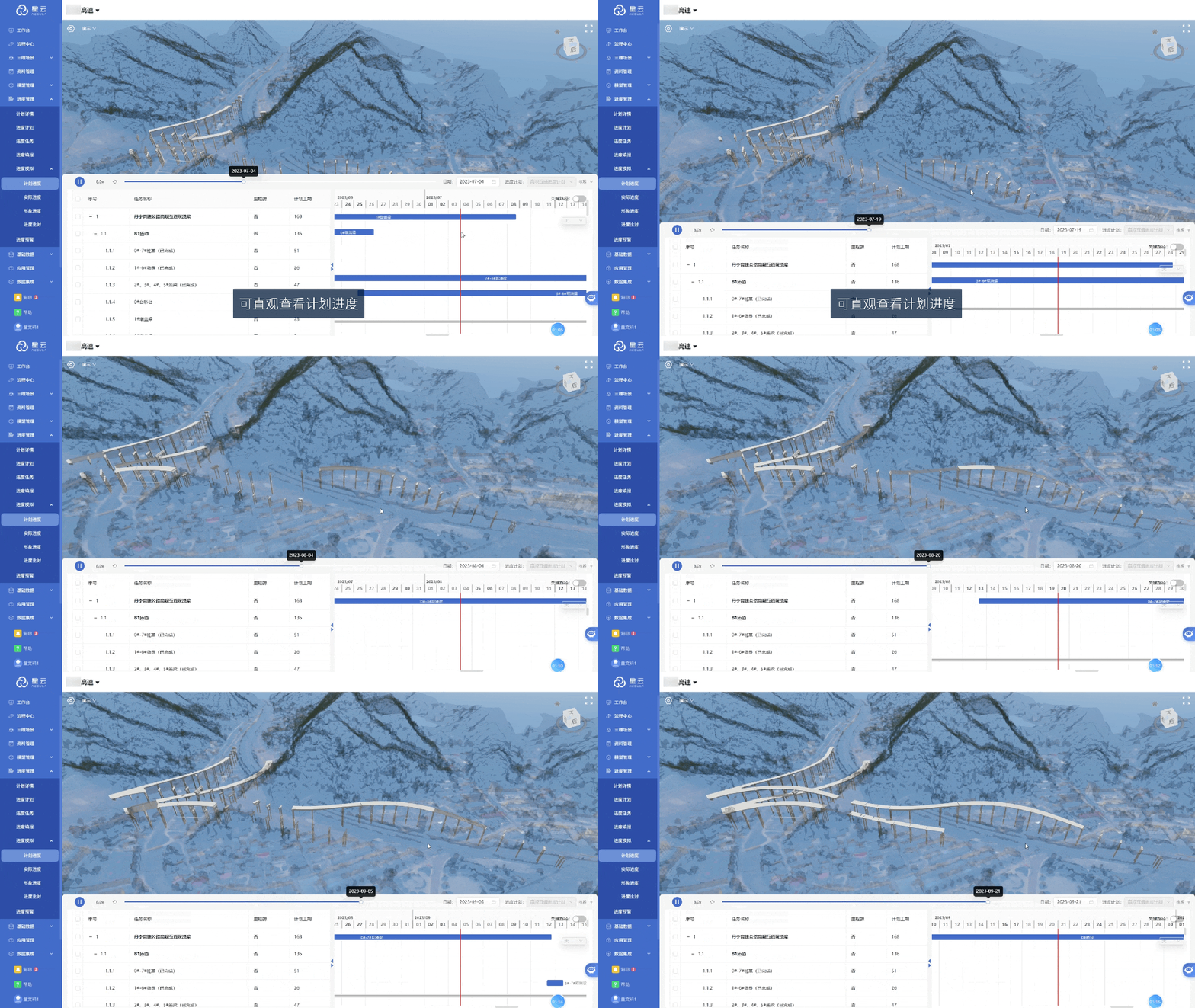
Connect work packages and planned dates to corresponding model elements for visual 4D simulation and review.
Organize time-series captures by date and area so teams can return to the recorded site condition.
Compare planned states, BIM construction states and site records without separating the evidence from its location and time.
Connect planning, task execution and progress comparison to BIM components, project timelines and field evidence.
Automatically parse BIM components, associate the project WBS with the model EBS tree, and support incremental parsing.
Import, edit and export Microsoft Project schedules to make task assignments and execution easier to track.
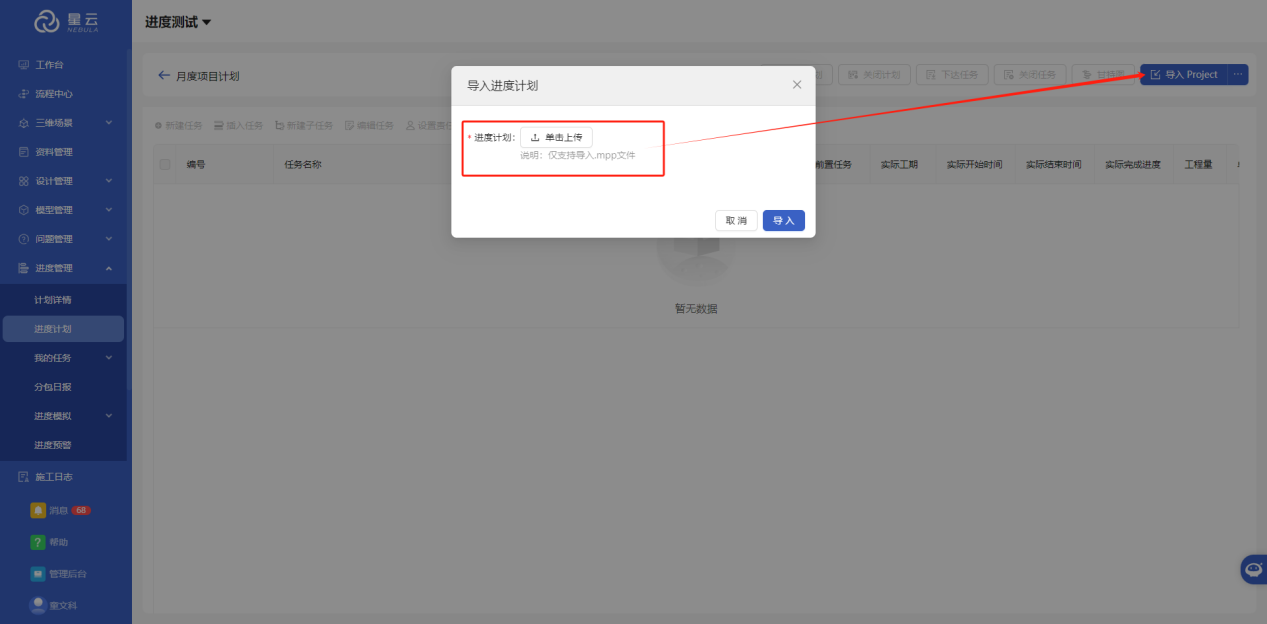
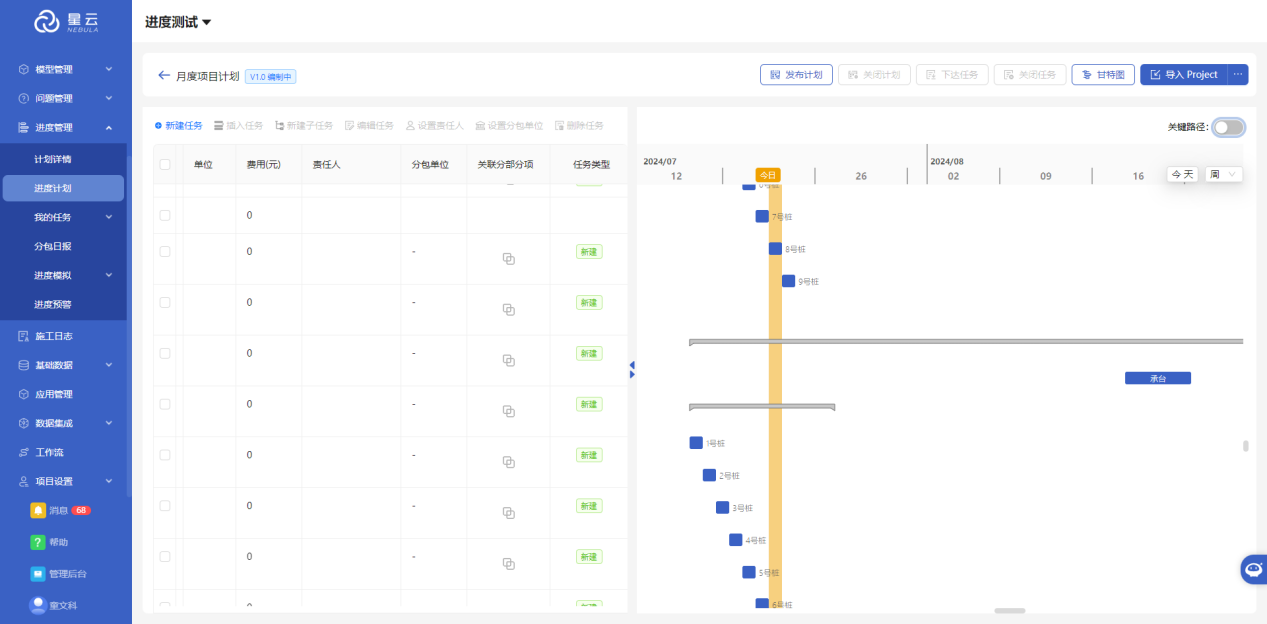
Turn scheduled tasks into a timeline and review project plans by day, week, month or year.
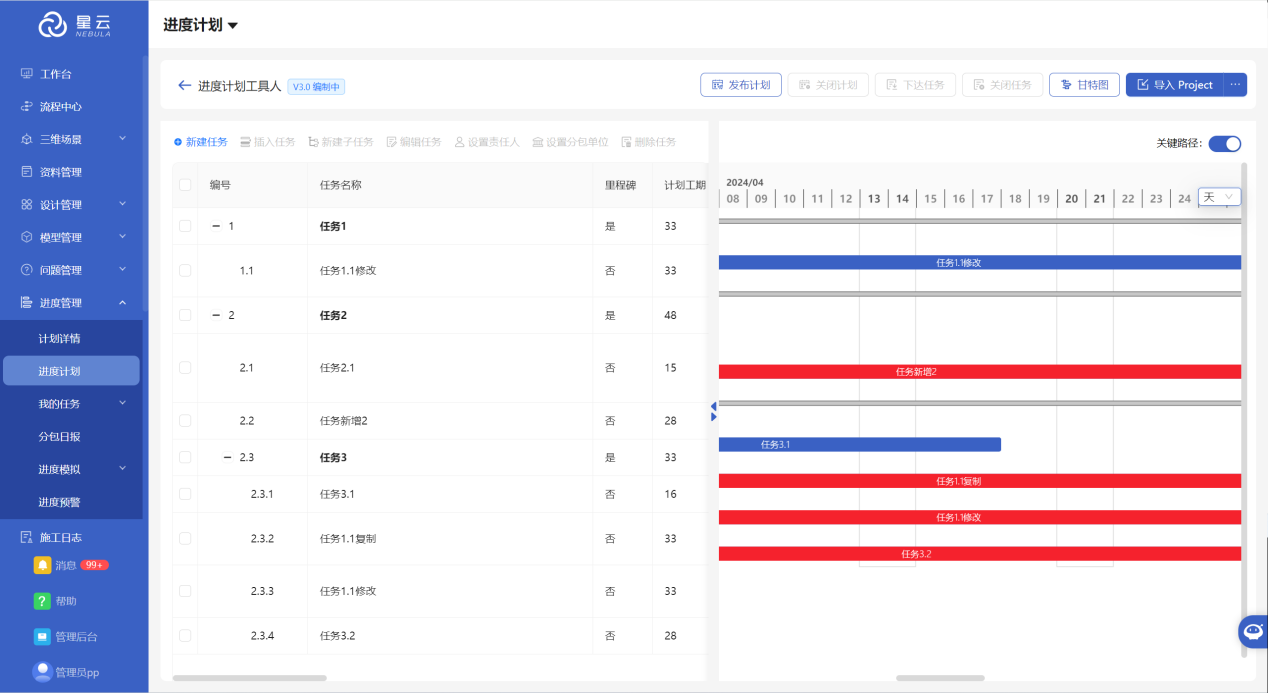
Identify the task sequence that determines the shortest project duration to support risk assessment and resource allocation.
Assign tasks to subcontractors and responsible staff, then track daily, weekly and monthly workloads and progress.
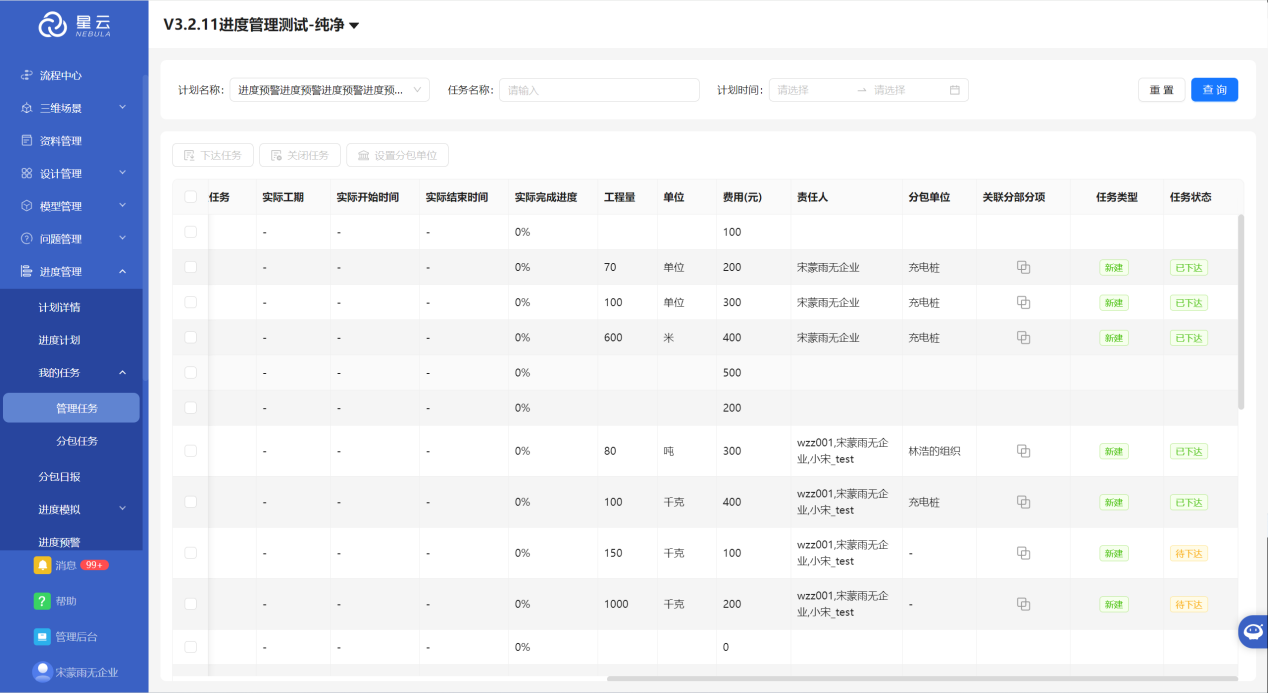
Manually link scheduled tasks to WBS work packages for detailed project control.
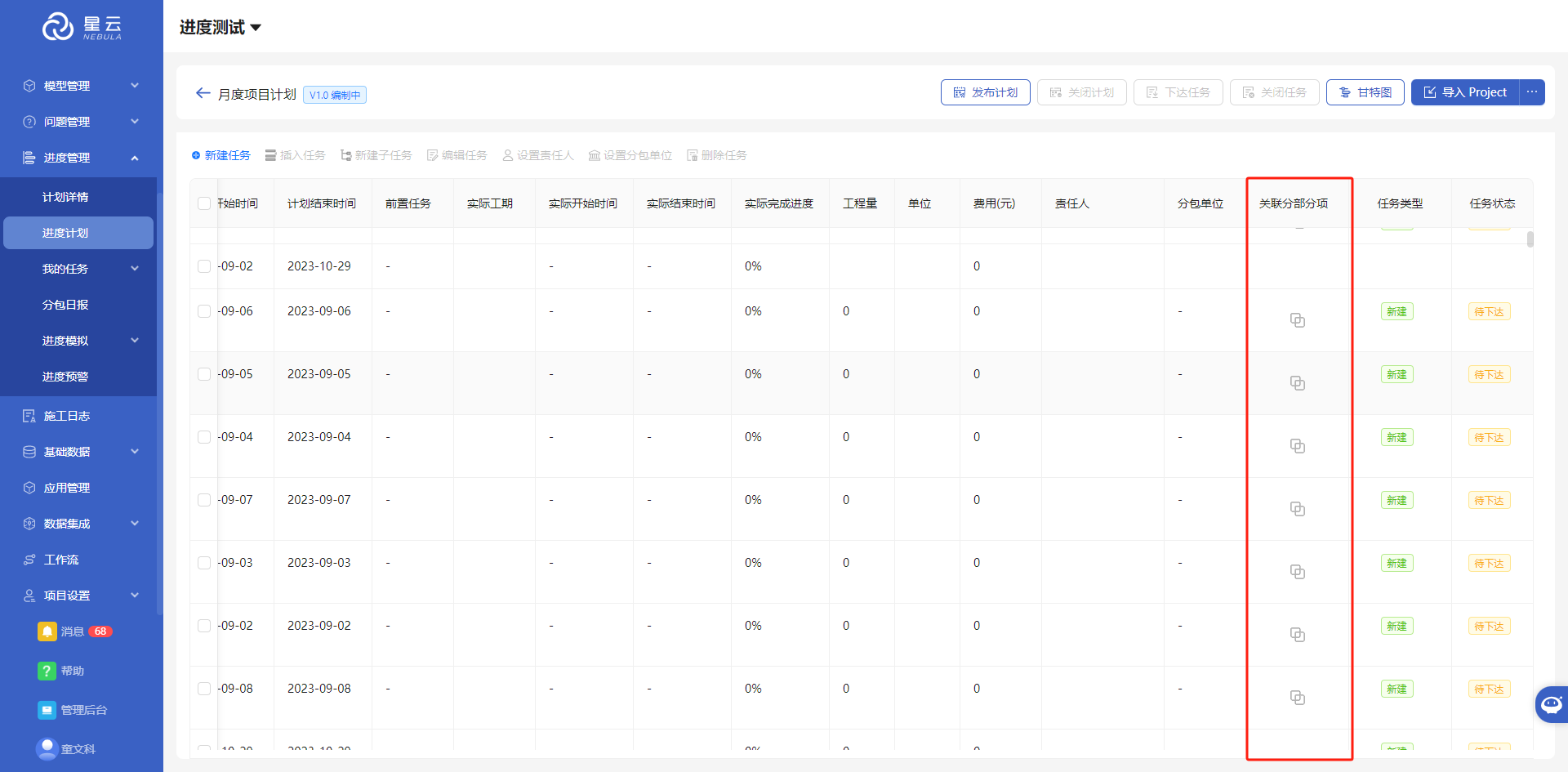
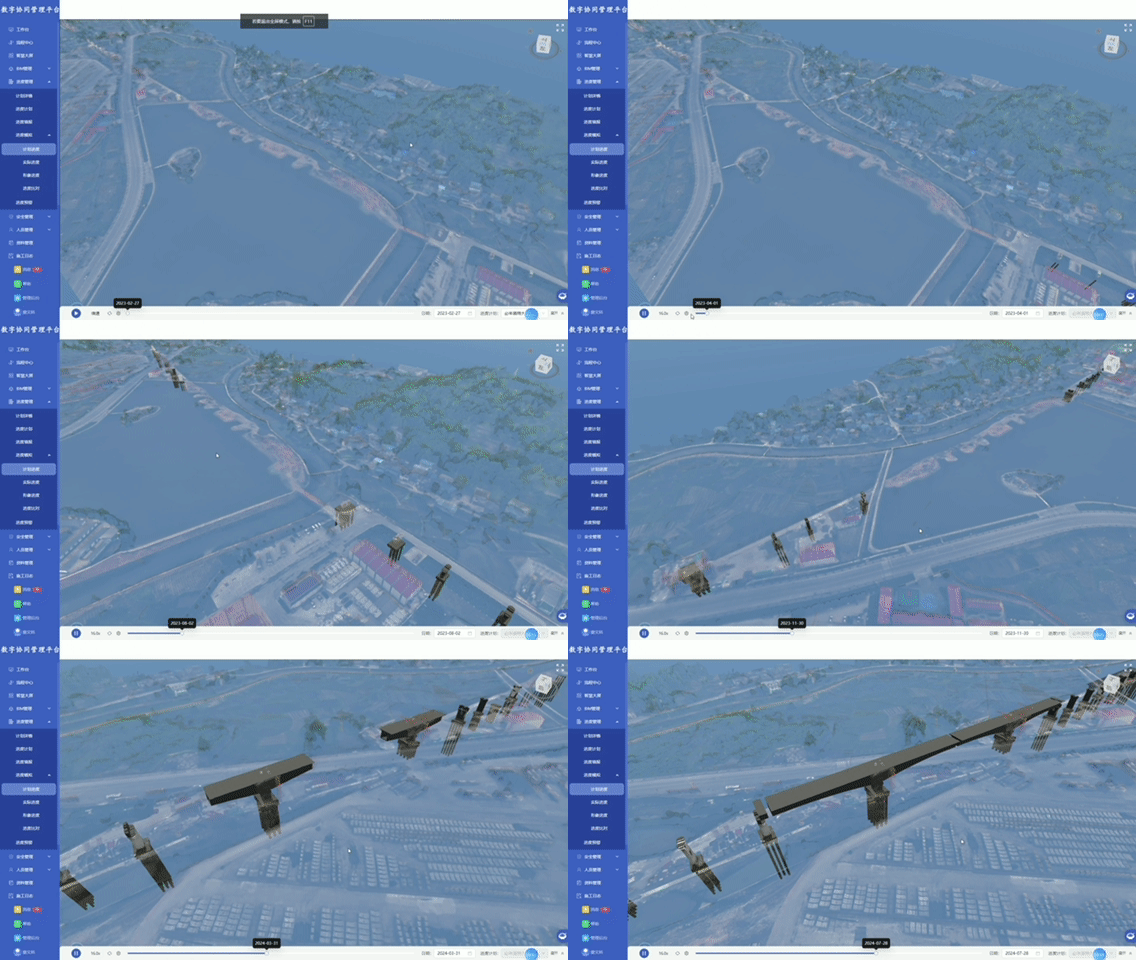
Link WBS tasks to BIM components and animate the planned construction sequence over time.
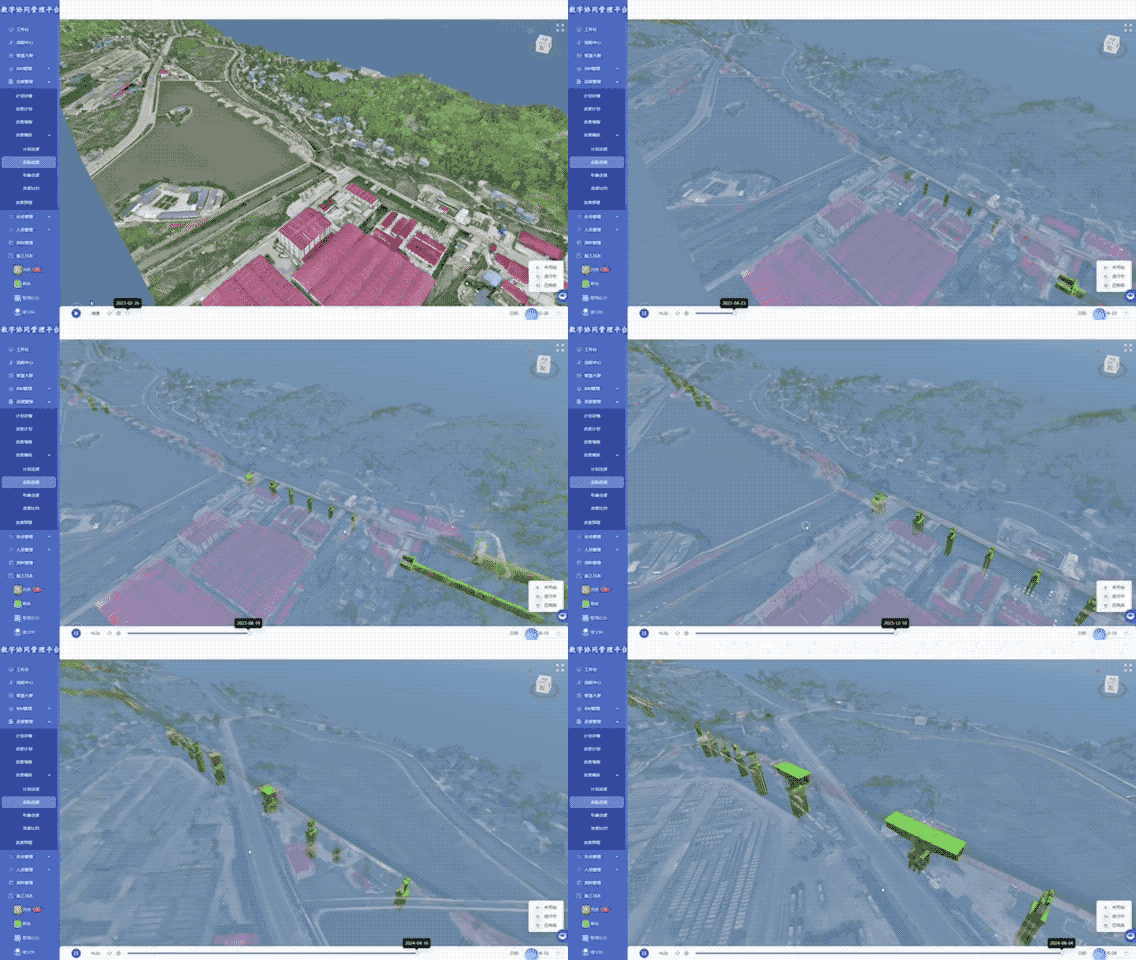
Use daily completion percentages from the site to visualize actual project progress.
Compare planned and actual completion dates to support corrective-action reviews.
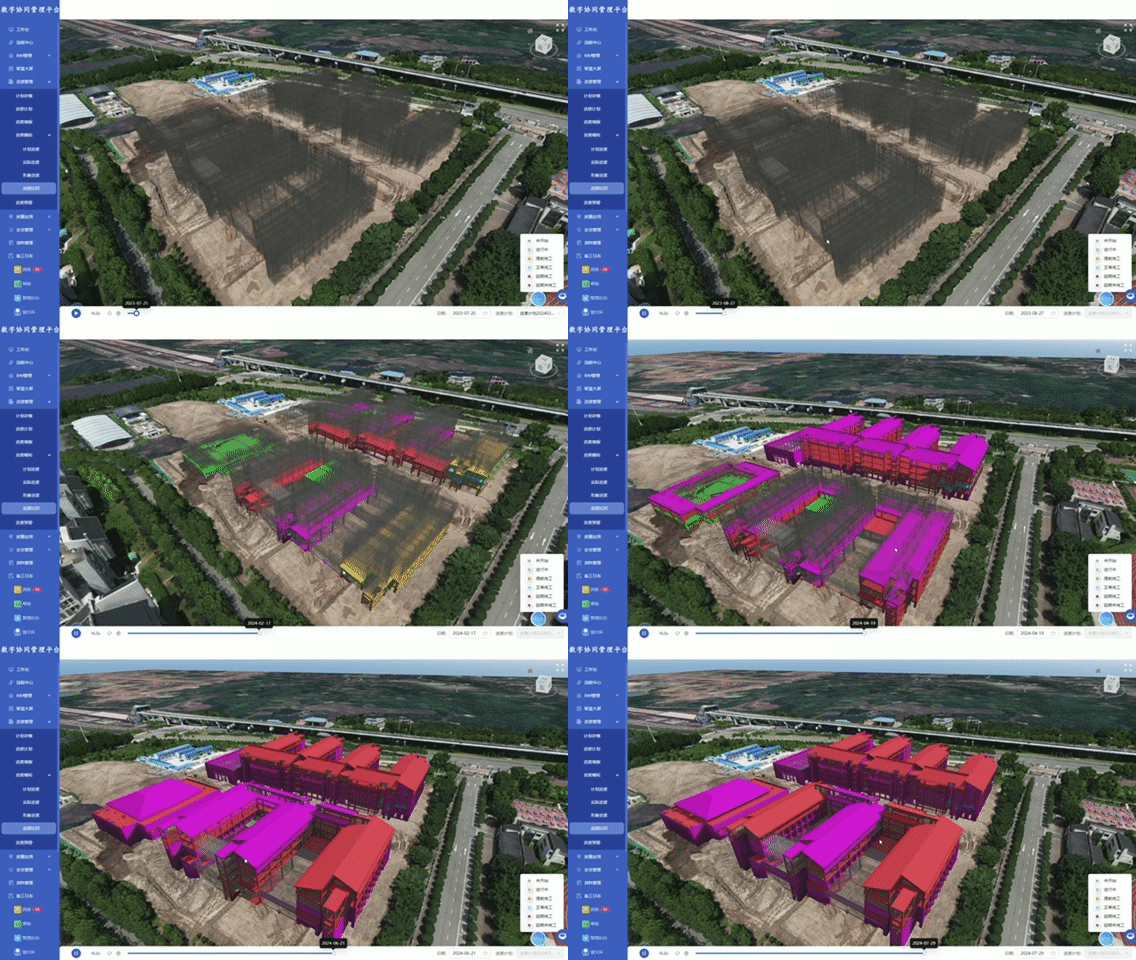
Compare scheduled completion dates with current progress to identify delays.
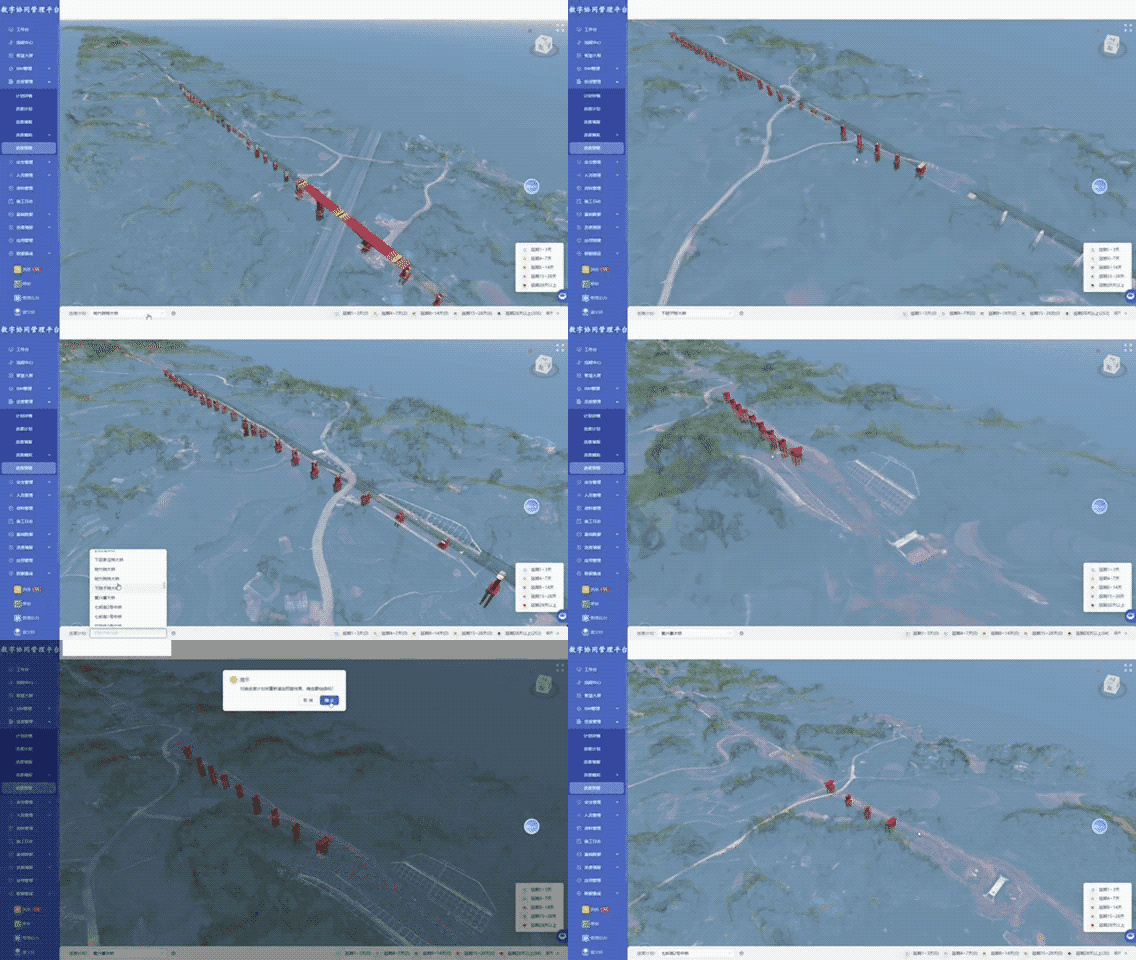
Progress information remains connected to the relevant date, location, model object and site evidence.
Use the BIM scene to explain planned construction sequence, milestones and work-package relationships.
Schedule · work package · BIM linkageOrganize available 3DGS captures by area and date to preserve the visible condition of the site.
3DGS · area · capture dateReview the planned model state alongside the corresponding site record and document the observed difference.
Plan · model state · site evidenceRetain review conclusions, responsible parties and handling records with the original progress evidence.
Review · responsibility · record
Review milestones and site progress through a common timeline and shared visual evidence.

Connect schedule activities to BIM elements and communicate construction sequence and recorded status.

Use dated site records and comparison results during progress review and coordination.
Tell us about your schedule, BIM model and site-recording method, and we will prepare a relevant demonstration.
Book a product demo