Scattered Systems, Slow Searches
Production, laboratory, video and register data sit in separate systems, requiring repeated searches.

Bring mine reality capture, process models and operating data together for production and operations teams. Connect equipment status, assay results and maintenance records to support dispatch and field collaboration.
Book a DemoDisconnected production systems and closely linked processes make data queries, troubleshooting and equipment maintenance a shared coordination challenge.
Discuss your site requirementsProduction, laboratory, video and register data sit in separate systems, requiring repeated searches.
Without links between abnormal readings and equipment locations, field conditions are difficult to confirm quickly.
Parameters are spread across process stages, making changes before and after production fluctuations difficult to compare.
Separate operating, inspection and repair records make complete equipment histories difficult to trace.
Use the Nebula platform to link equipment IDs, production measurement points and engineering documents to 3D scenes, with role-based access to data and workflows.
Link models, spatial locations, object IDs and engineering documents.
Organize queries, records and collaboration around workflows and role permissions.
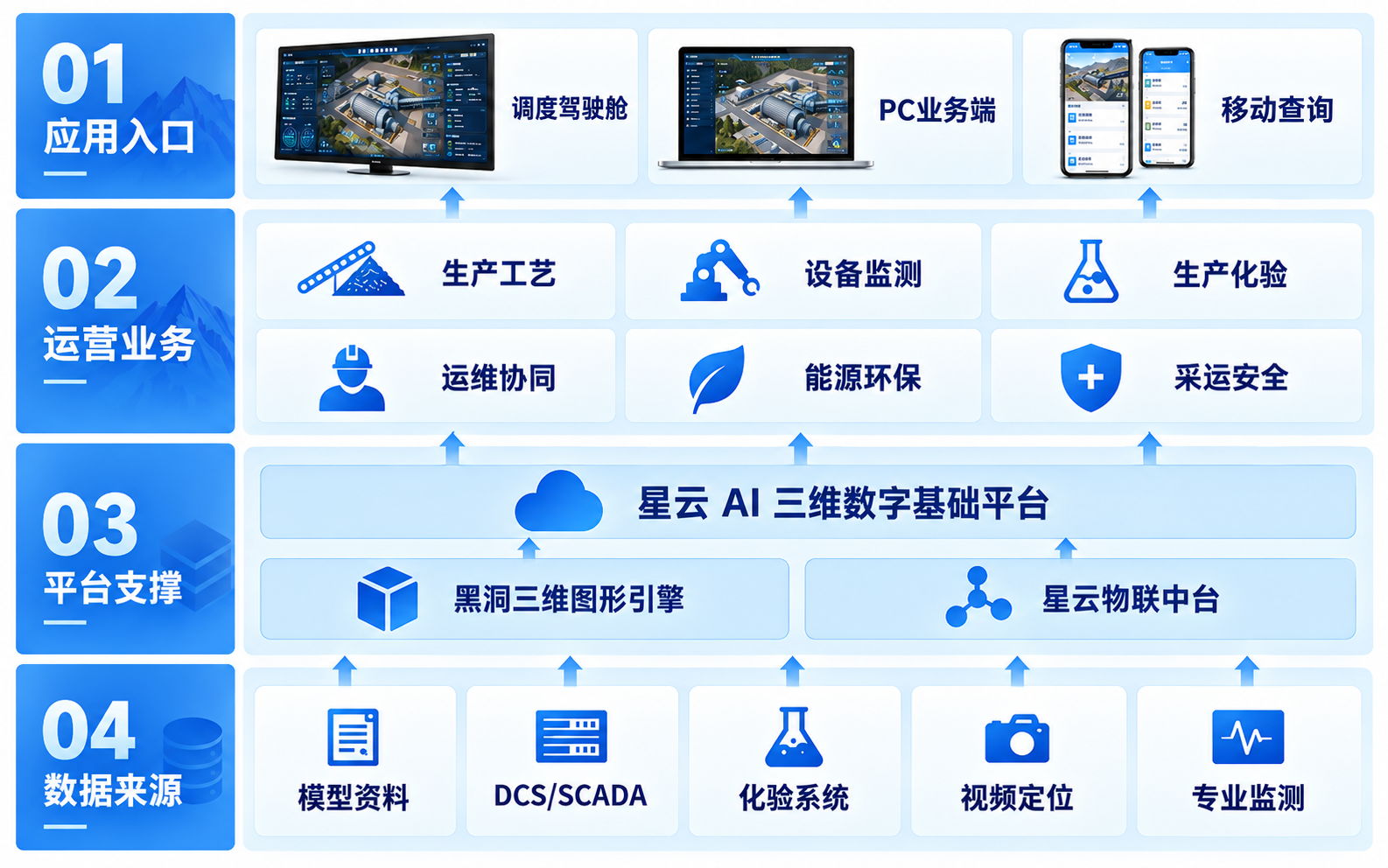
Use the Nebula IoT Platform to connect authorized site interfaces, production systems, historians and business applications. Manage equipment tags, measurement points, units, update intervals and timestamps consistently. The platform supports data queries and collaboration; production control and safety interlocks remain in the original systems.
Discuss your site requirementsMaintain equipment records, device models, connection settings and status. Adapt gateways and communication protocols to site conditions.
Connect DCS / SCADA status, parameters, alarms and historical queries through interfaces confirmed against network and security requirements.
Organize events and messages using agreed rules, with connections to laboratory, production reporting, maintenance and energy-metering systems as needed.
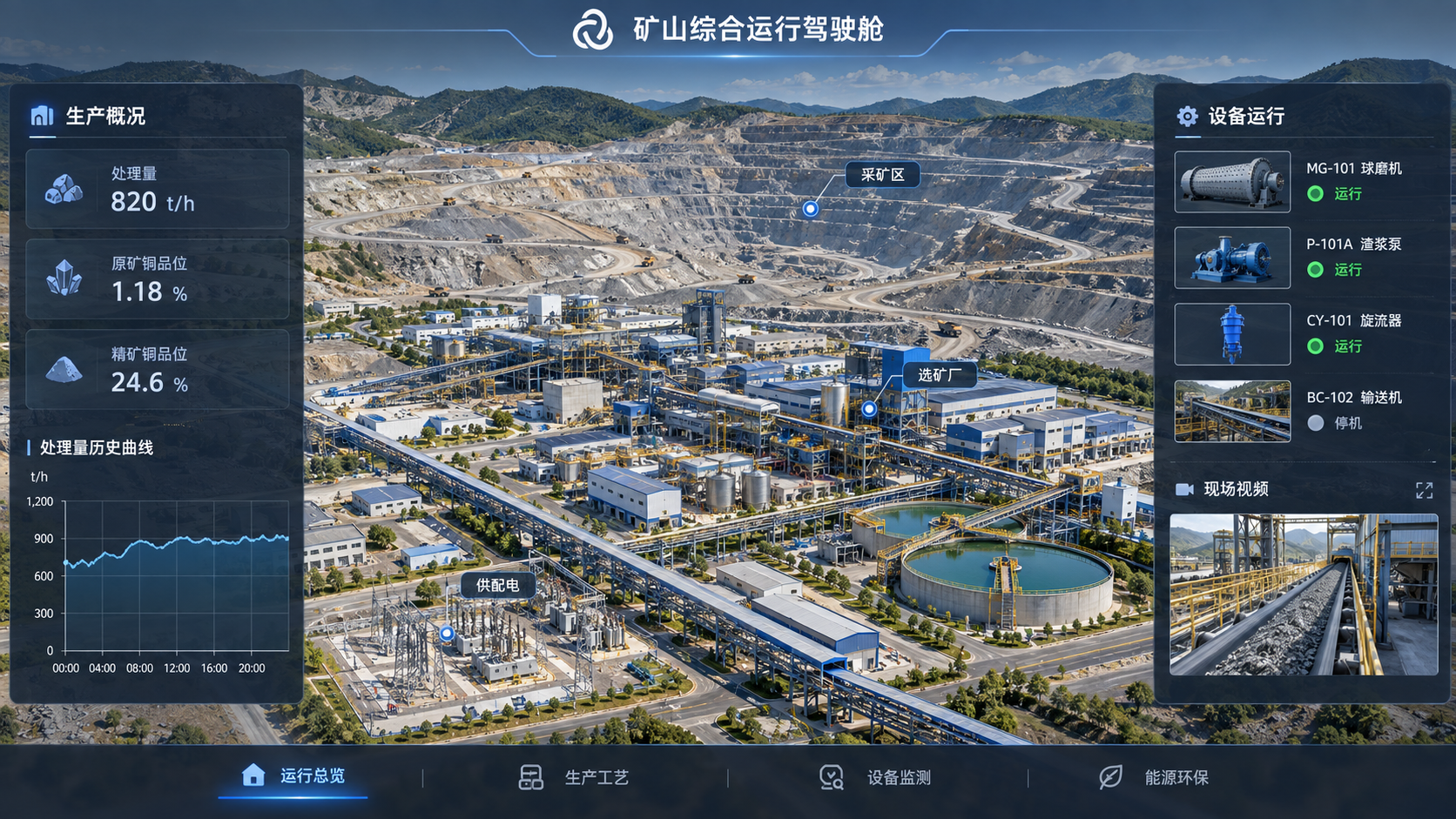
View operating information across pits, processing plants, tailings facilities and supporting areas. Navigate from the mine overview to specific areas, equipment, indicators and live video.
Query indicators and exceptions by production area and business topic.
Find equipment through lists, IDs or selection within the scene.
View nearby video feeds, properties and technical documents together.
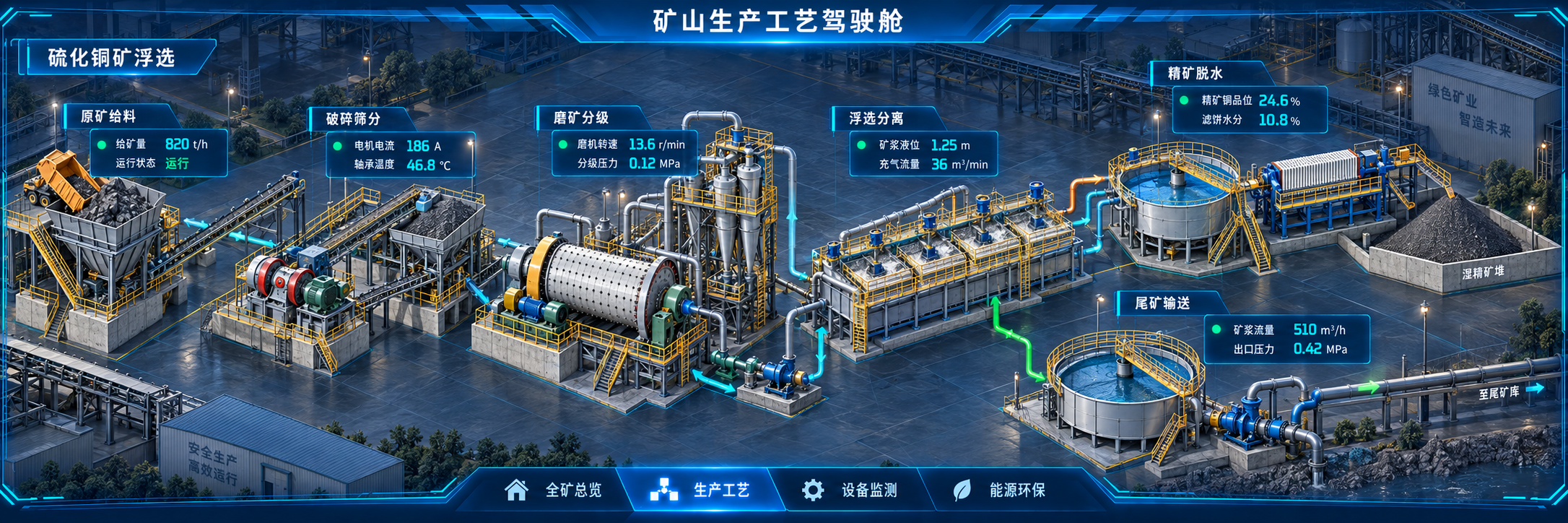
Configure 2D, 2.5D or 3D views for the actual process, showing production units, material flows and key parameters with linked upstream and downstream data.
Represent crushing, grinding, separation and downstream treatment appropriate to each ore type.
Check throughput, loads and key process parameters at each process node.
Show start/stop states and material-flow directions using connected data and configured rules.
Review related status and trends to help specialists analyze process fluctuations.
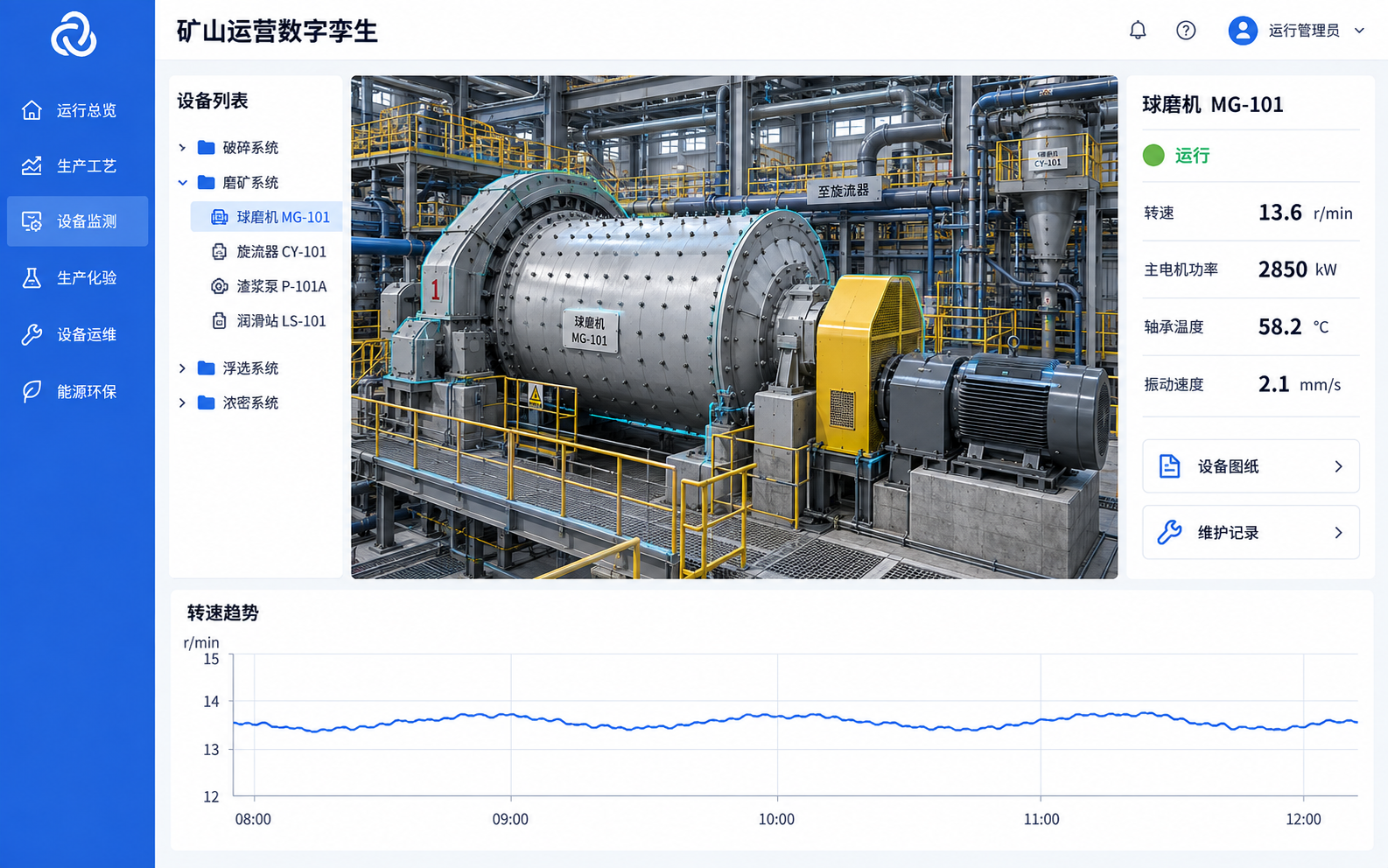
Link production measurements to 3D equipment to review parameters, historical trends and alarm records, helping dispatchers and maintenance teams investigate anomalies.
Query speed, current, temperature, pressure, vibration and other measurements.
Configure colors and equipment movements according to available models and data, with clear offline states.
Link equipment locations with trends, video, drawings and technical documents.
Compare changes around events where retained data and synchronized timestamps are available.
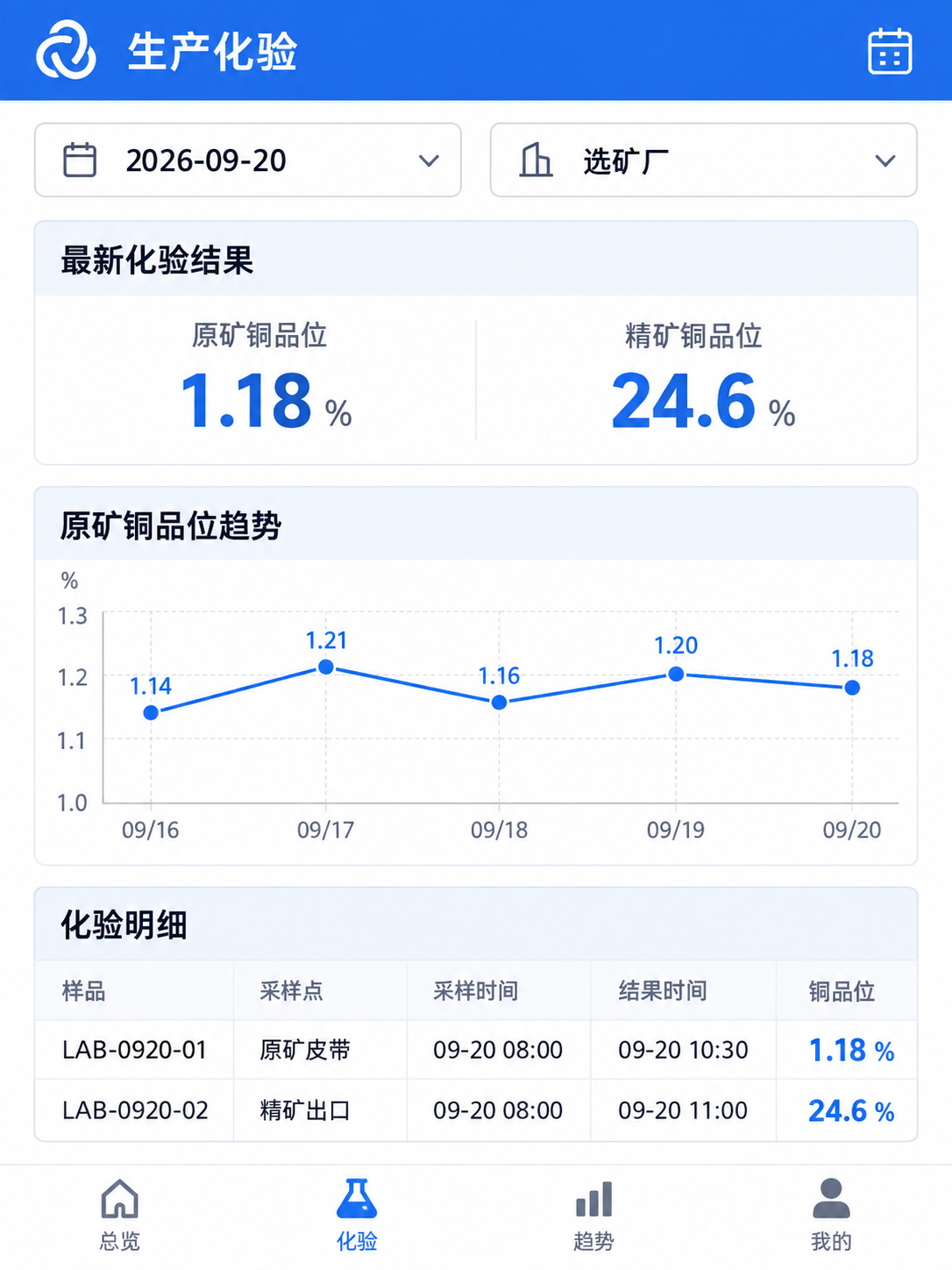
Query assay results by sampling point, indicator and date, linked to production areas and batches. Dispatchers and field teams access the same authorized data on computers, phones and tablets.
Bring together output, throughput and grade using defined reporting conventions.
Distinguish sampling and result timestamps while retaining batch and sampling-point records.
Compare historical changes by indicator and time range.
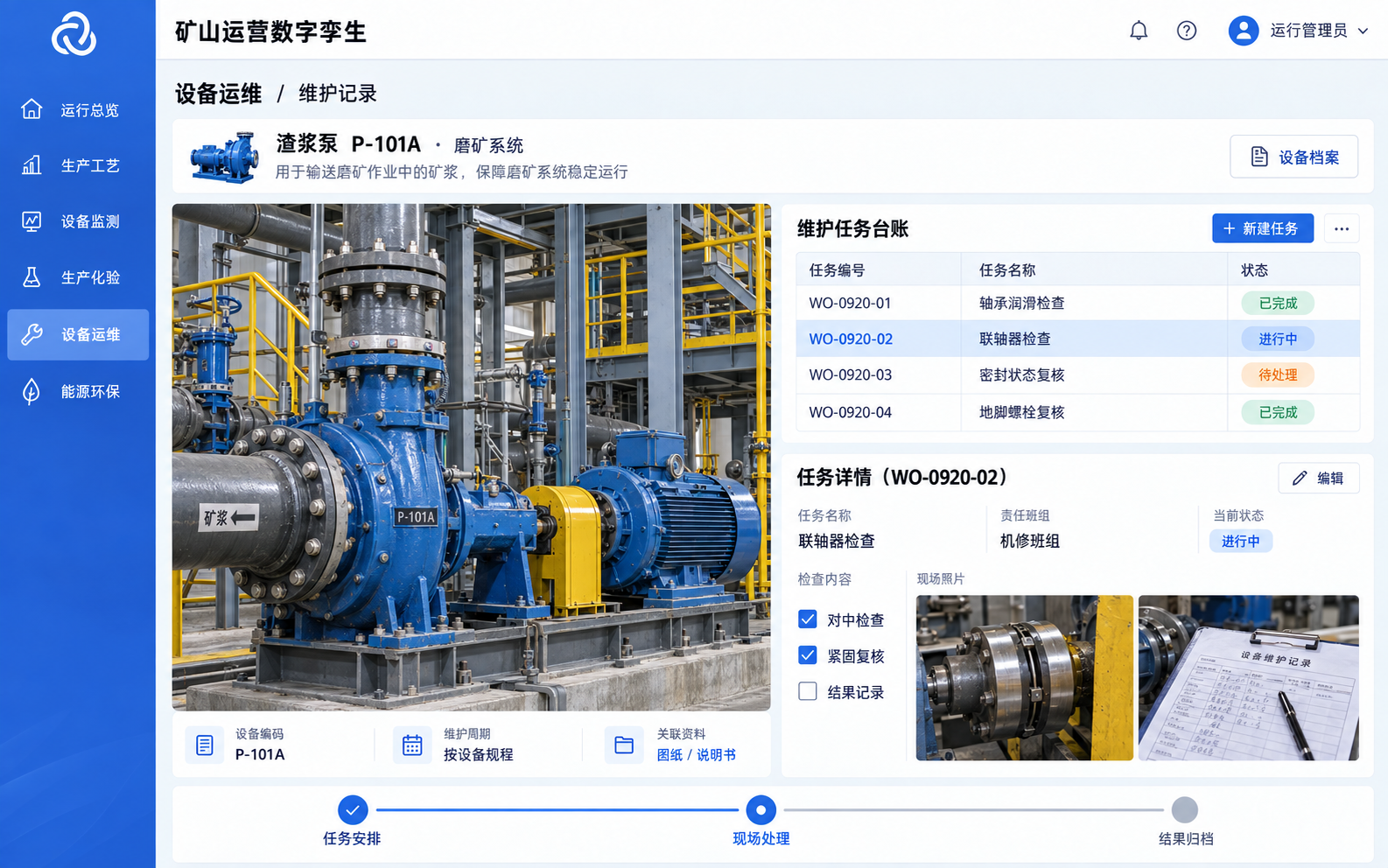
Reuse equipment IDs and engineering documents, connect existing asset-management systems and add inspection or repair workflows as needed. Retain task progress and outcomes in one place.
Review parameters, associated components, drawings and manuals.
Link issue photos, maintenance plans, work-order progress and results.
Build a history of inspections, repairs and replacements for maintenance and handover.
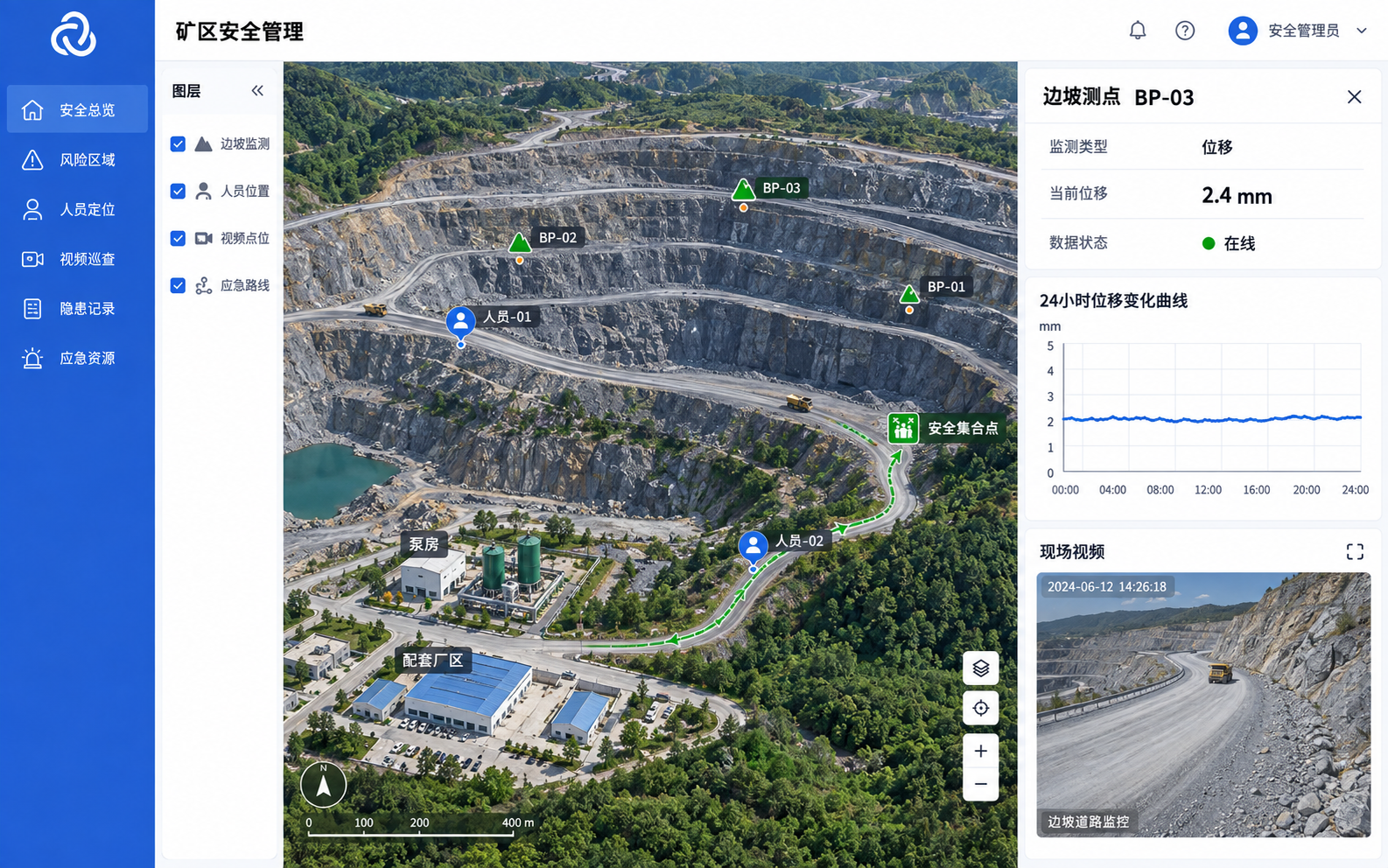
Connect haulage, personnel positioning and specialist monitoring systems. View vehicles, personnel and priority areas in 3D to support field checks and emergency coordination.
Link benches, work areas and roads with vehicle information from specialist systems.
Review personnel distribution, routes and camera locations to understand priority areas.
Link slope and tailings measurement points, and display resources and routes based on emergency plans.
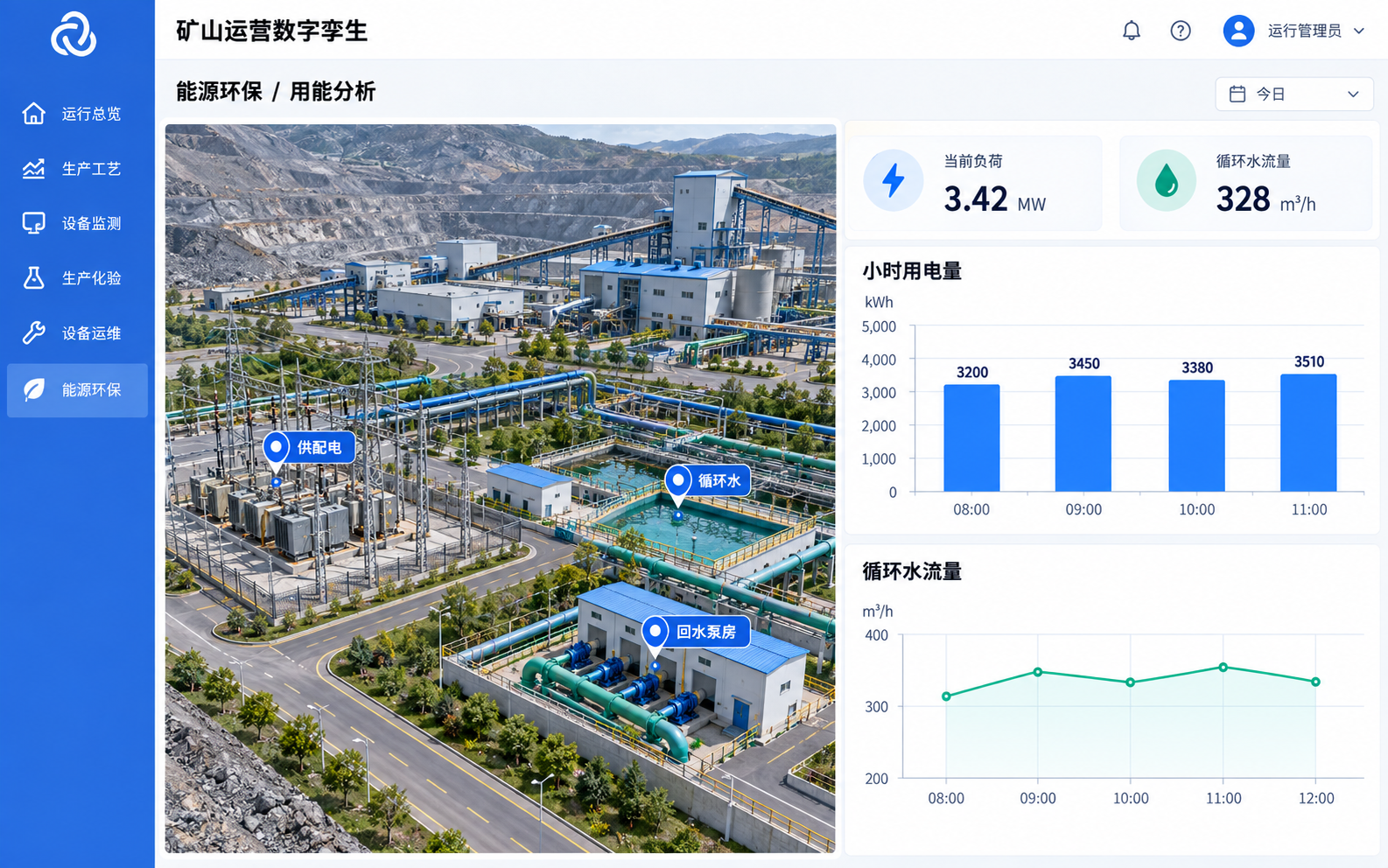
Link energy meters and environmental sensors to equipment and areas. Query electricity, water and monitoring data, comparing historical changes within consistent reporting boundaries.
Query electrical loads, water use and utility consumption.
Calculate comparisons where production, metering and reporting boundaries are defined.
Navigate from an unusual reading to the equipment and review operating records to investigate causes.
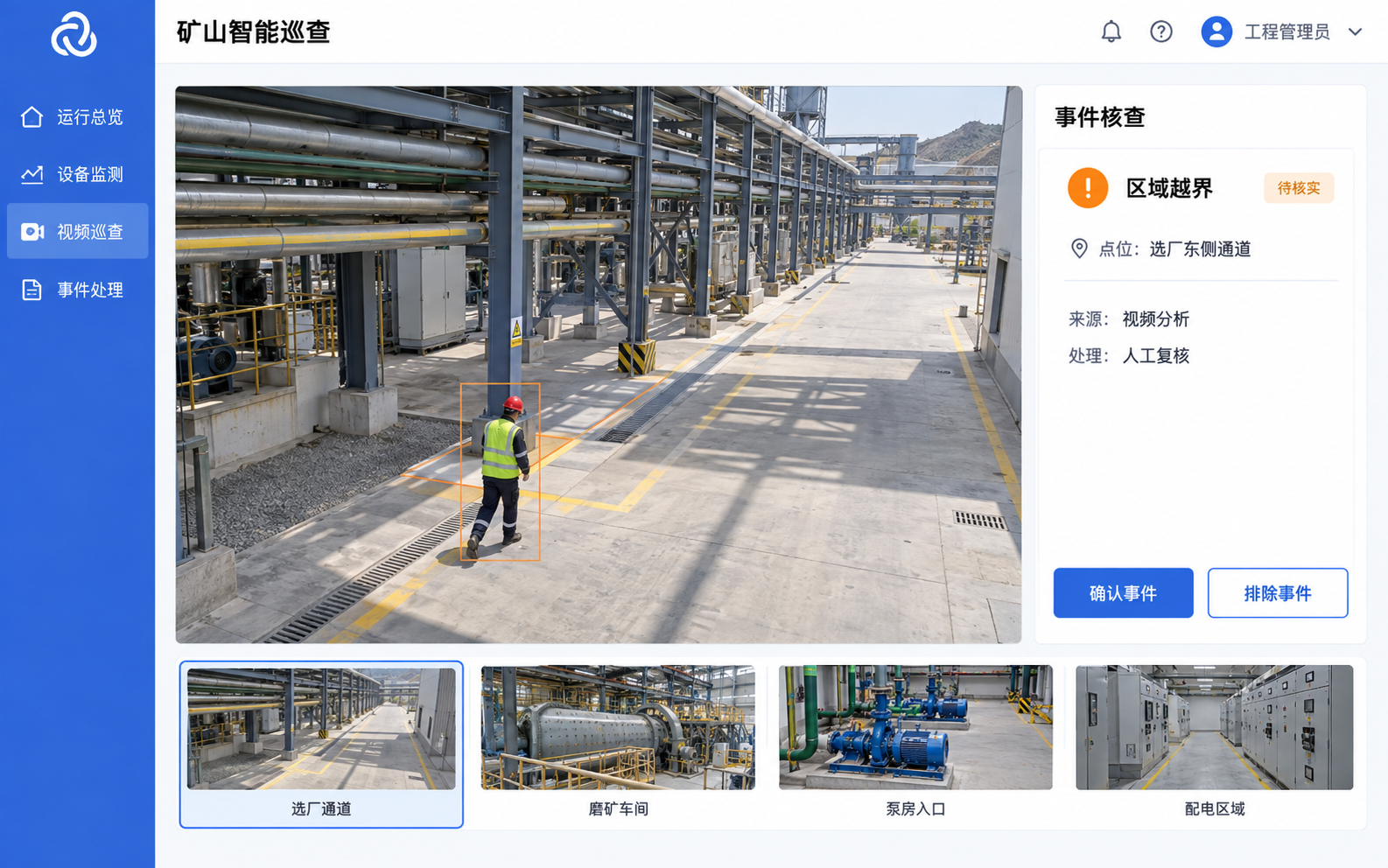
Connect specialist models and analysis services as needed for video-assisted inspections, equipment trend analysis and document queries. Validate results against site data and obtain specialist verification before use.
Link suspected events to measurement points, timestamps and areas.
Use vibration, current, temperature and fault records to identify abnormal trends.
Relate parameters, output and consumption to explore potential improvements.
Extend document queries, indicator searches and topic-specific dashboards within user permissions.