
Unified access
Connect frontend and web services to application services through a gateway.

Unify handover standards and connect models, properties and documents by engineering object, from construction records to handover and operational access.
Book a demoOrganize engineering information under shared standards, with structured data and relationships for project handover and future access.
Bring standards, object codes, properties, documents and 3D queries together around engineering objects.
Extend project applications with 3D graphics, forms, workflows, reports and dashboards.
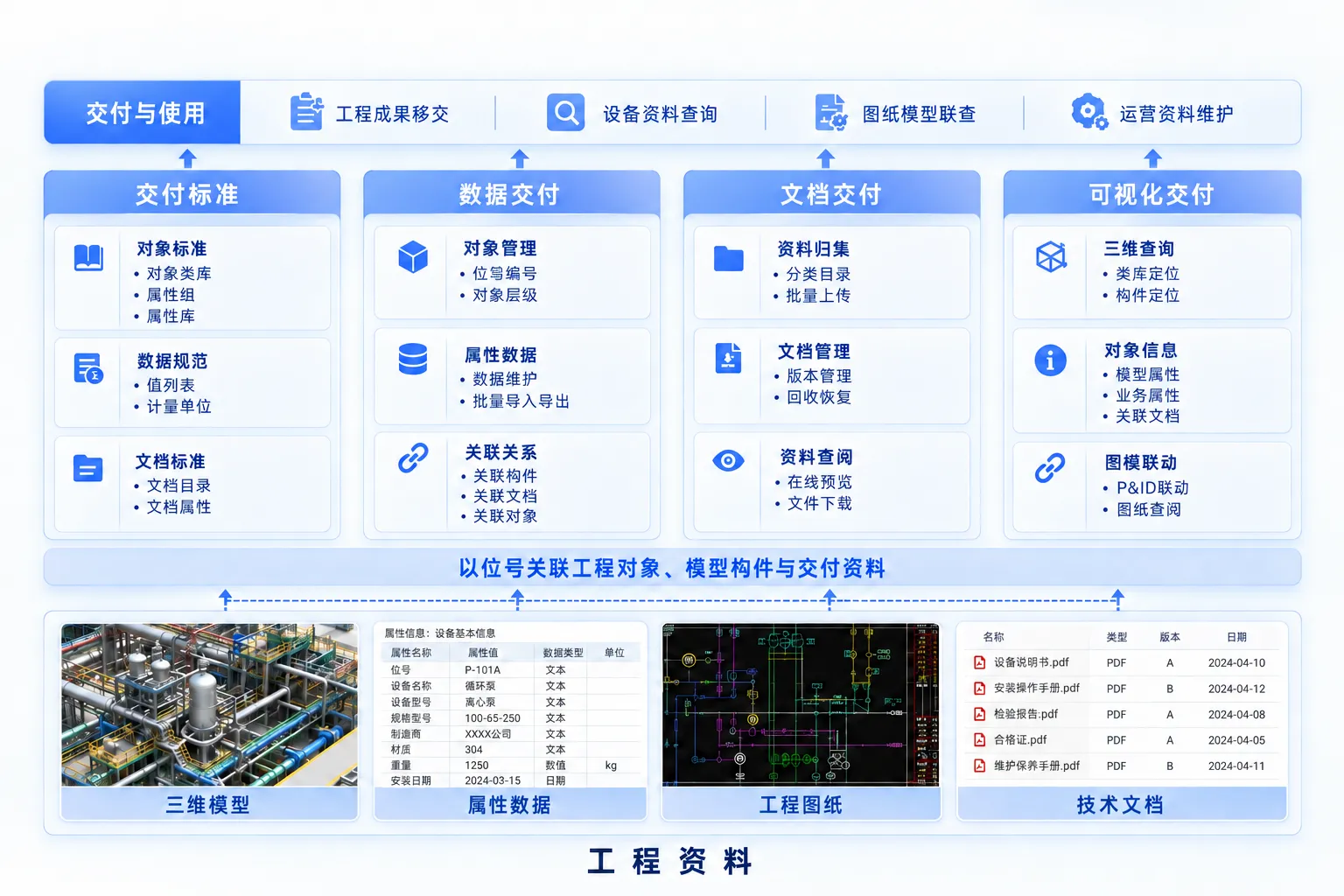
Manage reusable standards at enterprise and project levels, with project-specific extensions by discipline and stage.
Define object classes, properties, value lists, units and document catalogs.
Version handover templates and import structured library files, identifying additions and changes.
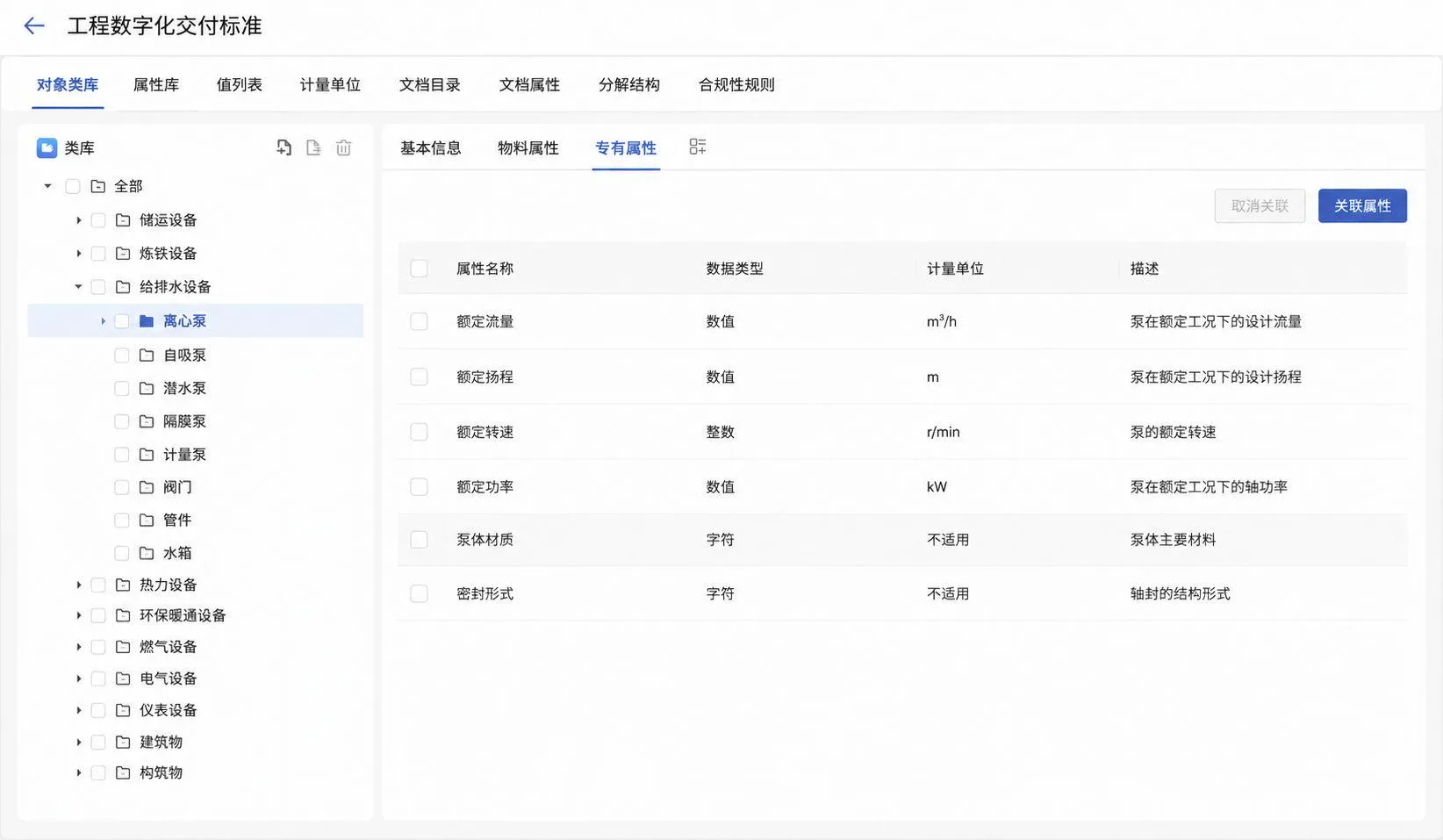
Organize basic information, technical parameters and operational properties by object type.
Configure field types, units, value ranges, required flags and validation rules.
Set entry templates by object type, project stage or role, with field ordering, grouping and visibility.
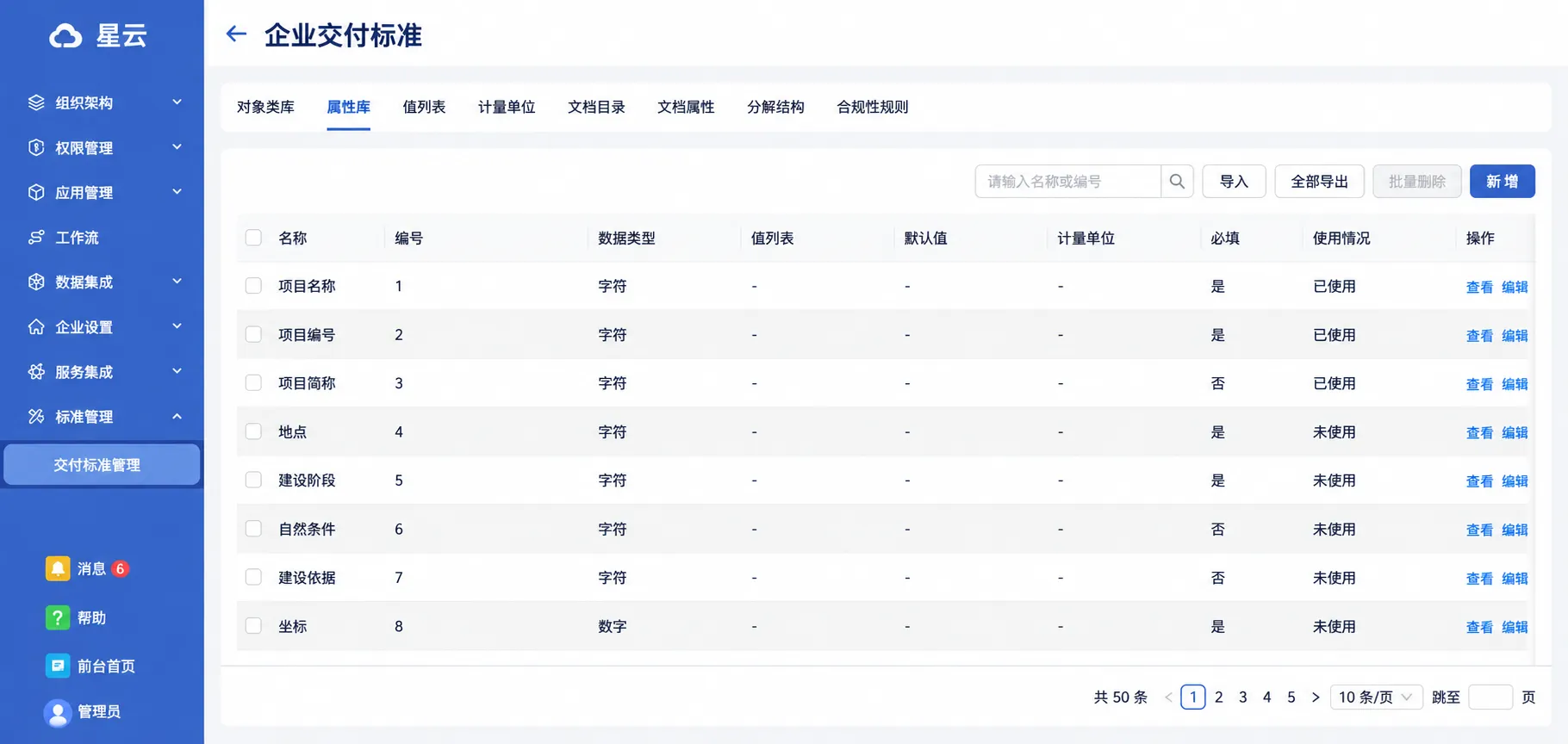
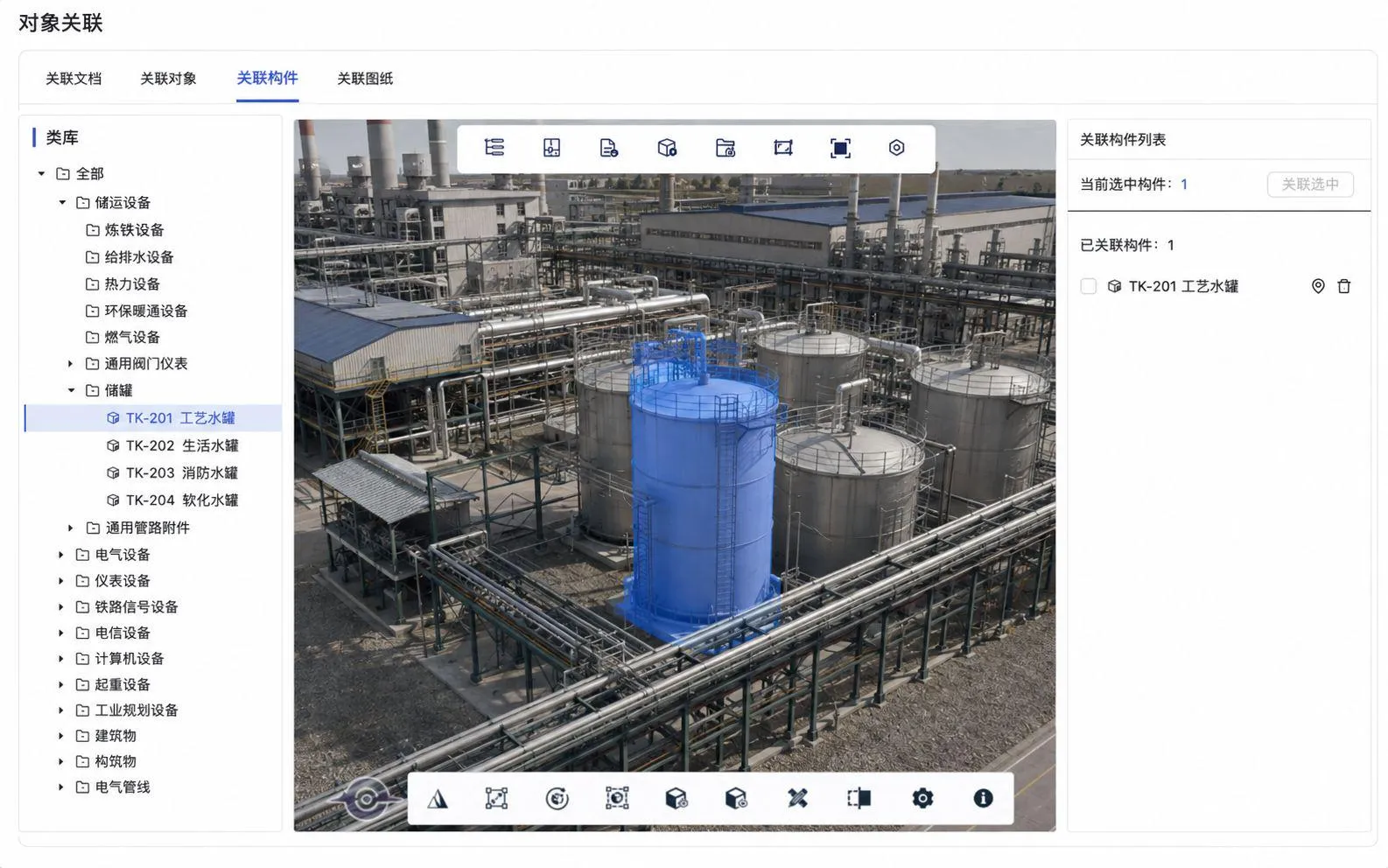
Connect model components, properties, drawings and documents through object identifiers or equipment tags.
Maintain hierarchical object codes and properties, with bulk import/export and rule-based extraction from BIM.
Link objects to components, documents, drawings and other objects through code matching or manual association.
Organize project drawings and technical files by stage and associate them with engineering objects.
Organize files by discipline, stage or type, with previews, downloads, versions and recovery.
Associate equipment documentation, drawings and technical files with the relevant objects.
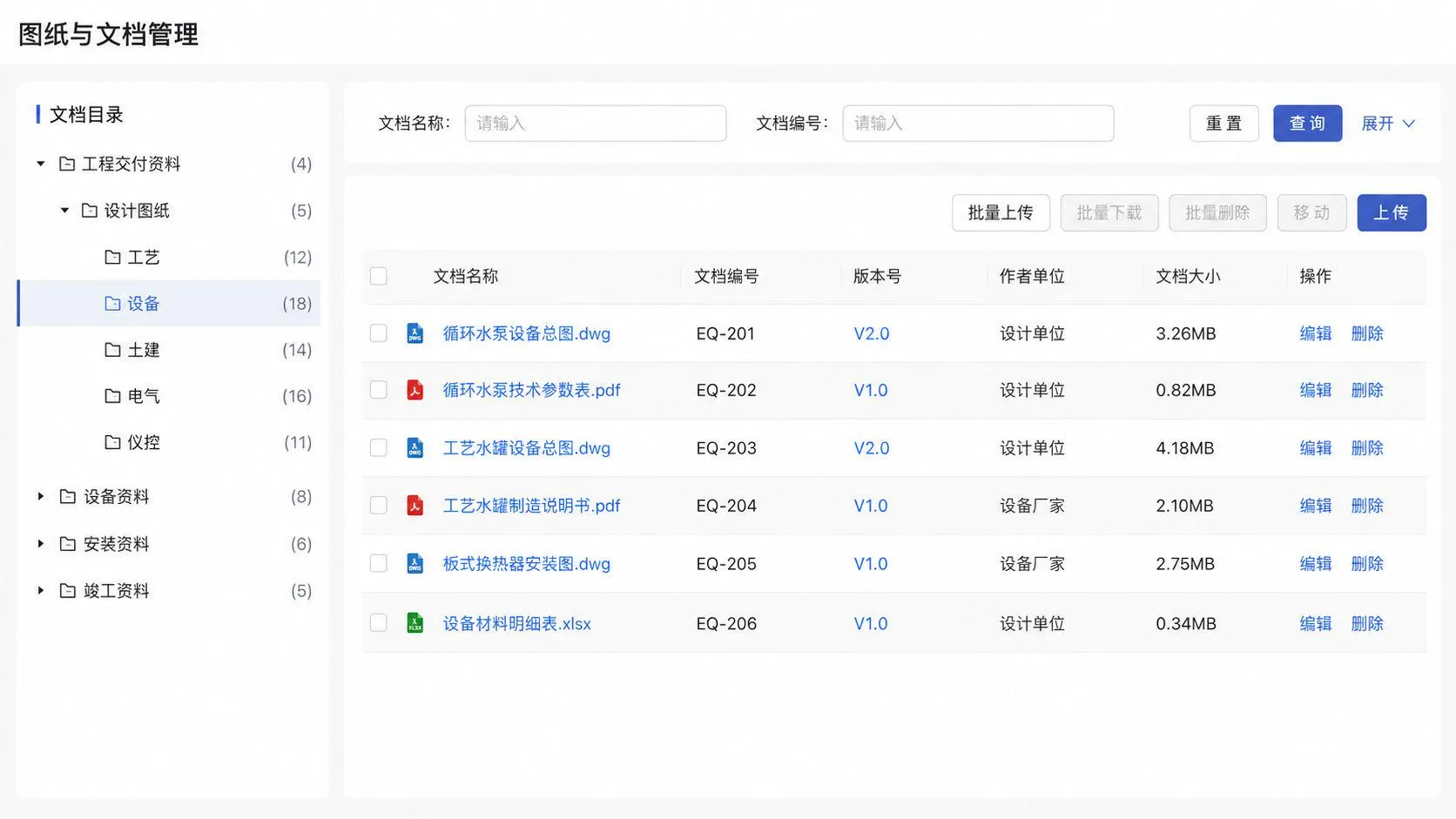
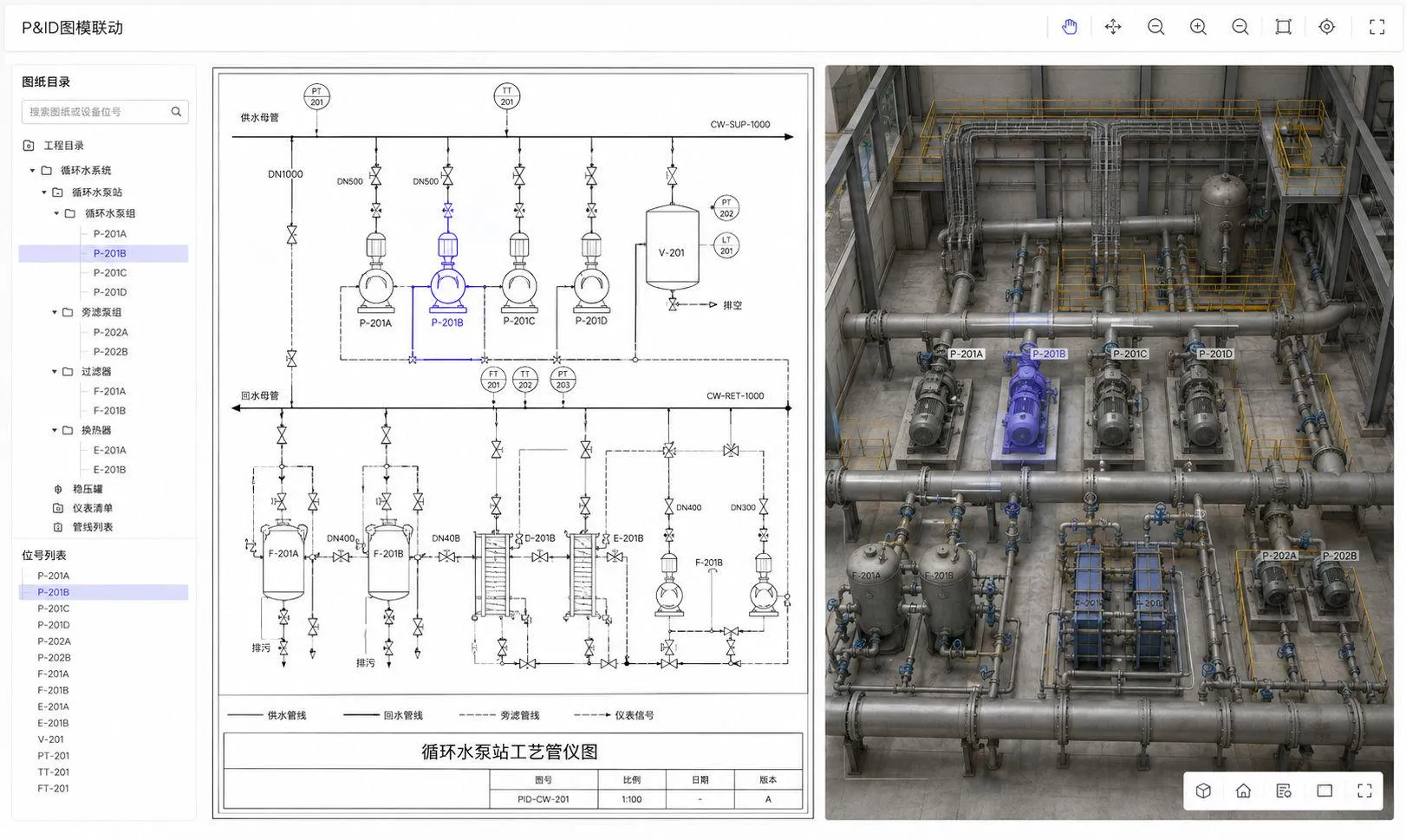
Locate the same engineering object in models, drawings and object views for handover review and operational access.
Locate components through model, spatial and class trees, then inspect properties and related records.
Connect equipment and pipelines in drawings to 3D objects, combining process relationships with spatial context.
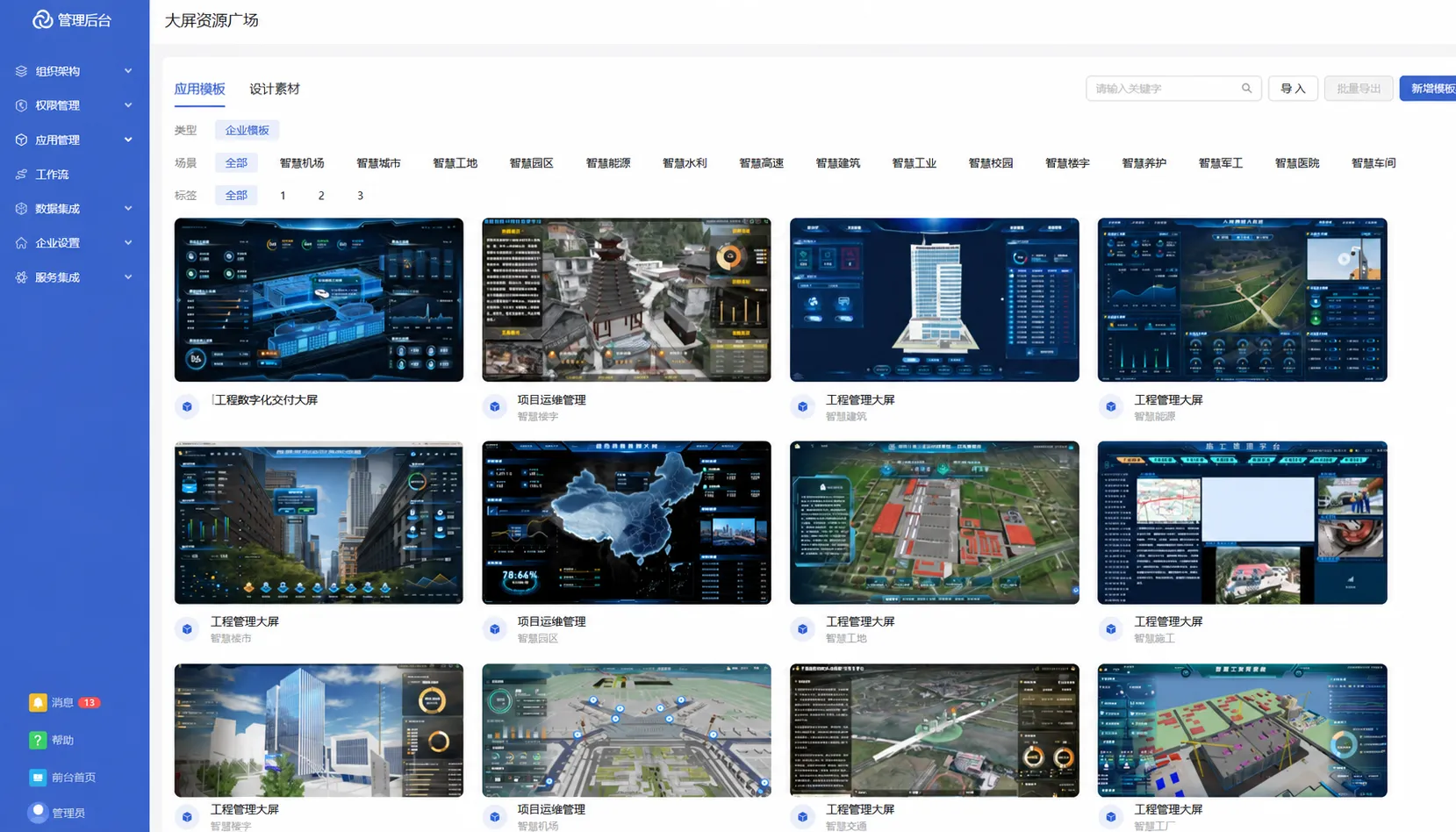
Combine handover data with BIM, GIS and IoT information in configurable project and enterprise visualizations.
Reuse dashboard templates and configure charts, model effects, labels and interactions with drag-and-drop tools.
Connect APIs, databases and sensors, and extend model interactions with JavaScript and graphics-engine APIs.
The platform combines micro-app frontends and microservice backends with gateway, application, engine and infrastructure layers.
Discuss your site requirementsConnect frontend and web services to application services through a gateway.
Organize handover standards, objects, documents and relationships.
Reuse graphics, forms, workflows, reports and portal capabilities.
Middleware supports clustered or primary-replica deployment.